Ride the DOM.Any site. Any time.
Jump across buttons. Surf nav bars. Reach the bottom.
"can be used on instagram too during dry texts ;)"
Play it right here.
[ HOVER TO PLAY ]
Hover Demo to Play | WASD / Arrows → Move | Space → Jump | Shift+Down → Drop Through
⚠️ The Real App is WAY Better!
This is just a static, simulated web-based demo so you can try the controls. The actual WebSurfer Chrome Extension injects directly into the live DOM of any website. It runs significantly smoother, dynamically updates as you scroll, and interacts seamlessly with your real browsing experience.
Witness the surf.
Built different.
Not a toy. A real physics engine living in your browser tab.
DOM-Aware Physics
WebSurfer scans every button, nav bar, image, and container on the page — and turns them into solid platforms. Every website is a new level.
Customizable Surfer
Name your character. Pick your color. Make it yours before you drop in.
60fps Physics Engine
Custom-built 2D physics running at 60fps. Gravity, friction, coyote time, jump buffering — the full arcade package.
Dynamic Rescanning
Infinite scroll? Chat updates? WebSurfer keeps up. Platforms rebuild automatically as pages change.
Zero Interference
Canvas overlay is pointer-events: none. You can still use the website normally while you're surfing it.
Make It To The End
Reach the very bottom of any webpage to win. Every site is a different run.
Download the Extension
Hit the download button to grab the WebSurfer folder from GitHub.
[Antigravity: Generate a looping GIF showing a cursor clicking a glowing download button and a folder appearing, in the violet/pink palette with dark background]
Extract the Folder
Unzip the downloaded file. You'll get a clean folder — keep it somewhere easy to find.
[Antigravity: Generate a looping GIF of a ZIP being extracted, files fanning out neatly, dark background with pink highlight]
Open Chrome Extensions
Go to chrome://extensions in your browser URL bar.
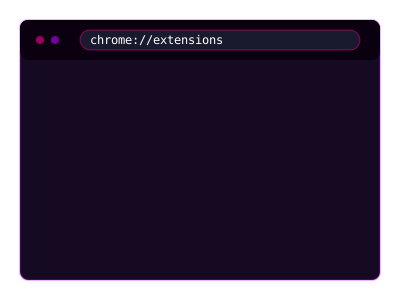
[Antigravity: Generate a looping GIF of a browser address bar being typed into with 'chrome://extensions', page loads with extension cards visible]
Enable Developer Mode
Toggle on Developer Mode in the top right corner of the Extensions page.
[Antigravity: Generate a looping GIF of a toggle switch being flipped ON, glowing violet when enabled]
Load Unpacked
Click 'Load Unpacked' and select the extracted WebSurfer folder.
[Antigravity: Generate a looping GIF of 'Load Unpacked' button being clicked and a file picker opening, selecting a folder]
Open Any Website & Surf
Click the WebSurfer icon in your extensions bar. Toggle it on, enter your name, pick a color — and drop in.

[Antigravity: Generate a looping GIF of a browser toolbar icon being clicked, a popup appearing with name/color fields, then a character dropping onto a webpage platform]